Why LED Lights Fail and How to Fix Them
LED lamps have rightfully earned their place as the dominant lighting technology in homes, businesses, and public spaces. Their high brightness, remarkably low energy consumption, and potential for a very long life make them an attractive choice over incandescent and fluorescent alternatives. However, the phrase “LEDs last forever” is a myth. While they are generally robust and less prone to the sudden, catastrophic failures of older bulbs, they are complex electronic devices that can and do malfunction. The good news is that many of the most common LED problems are not only diagnosable by the average person but are also fixable, often with simple tools and a little bit of knowledge. The key lies in understanding the LED’s fundamental two-part structure: the lamp beads (the light-emitting diodes themselves) and the driver (the electronic power supply that makes them work). By learning to identify whether a problem originates in the driver or the beads, you can save money on replacements, reduce electronic waste, and restore your lighting quickly. This guide will walk you through the three most frequent complaints—lights that won’t turn on, lights that have become dim, and lights that flicker or glow after being switched off—providing clear, step-by-step solutions for each.
What Are the Core Components of an LED Light?
Before diving into troubleshooting, it’s essential to understand the basic internal architecture of a typical LED lamp or fixture. Regardless of whether it’s a small household bulb, a panel light, or a large floodlight, the fundamental components are the same. The first major component is the lamp beads, often referred to as the LED chip or light engine. If you open the diffuser or the plastic casing of an LED bulb, you’ll see a circuit board, often covered with a yellow coating. This yellow material is a phosphor, and underneath it are the actual blue LED chips. The phosphor converts some of that blue light into other colors to create the white light we see. The number, quality, and arrangement of these lamp beads are the primary determinants of the fixture’s brightness and light quality. The second, and equally critical, component is the driver. This is usually hidden away in the base of the bulb or in a separate compartment of a larger fixture. The driver is a sophisticated piece of electronics. Its job is to convert the incoming high-voltage AC mains power (e.g., 120V or 220V) into the low-voltage DC power (typically under 50V) that the LED beads require. More importantly, it acts as a constant current source, ensuring that the LEDs receive a stable, regulated flow of electricity, protecting them from damaging fluctuations. A problem with either of these two components will manifest as a lighting malfunction.
What to Do When Your LED Light Won’t Turn On?
A completely dead LED light—one that shows no sign of life when the switch is flipped—is a common and frustrating problem. However, before you assume the light itself is to blame, the very first step in troubleshooting must be to verify the circuit. Even a brand new, perfectly functional light will not work if there is no power reaching it. Use a non-contact voltage tester or a multimeter to check if there is voltage at the light’s socket or connection point. You can also temporarily install a known working incandescent or CFL bulb in the same socket. If that bulb lights up, you know the circuit and socket are fine, and the problem lies within the LED light itself. If the test bulb also doesn’t light, the issue is with your home’s wiring, a tripped breaker, or a faulty switch, and you should consult an electrician. Once you have confirmed that power is reaching the fixture, the most probable culprit is the LED driver. Because LEDs have such specific current and voltage requirements, they cannot function without a properly working driver. If the driver’s internal components—such as the capacitors, rectifiers, or control chips—have failed, it will not output the correct power to the lamp beads. In most fixtures designed for replaceable drivers, the solution is straightforward: disconnect the old driver and replace it with a new one that has identical output specifications (voltage and constant current). For integrated LED bulbs where the driver is built-in and non-replaceable, the entire bulb must be replaced.
Why Is My LED Light Dim and How Can I Fix It?
A light that turns on but is noticeably dimmer than it used to be, or dimmer than it should be, points to a problem that can be with either the driver or the lamp beads. A driver that is beginning to fail may not be completely dead. Instead, its output voltage or current may have dropped below the required level. This means the LED beads are being “under-fed,” resulting in a uniform dimness across the entire light. The fix for a failing driver is the same as for a dead one: replacement. However, a more common cause of a dim light, especially one that is dim in patches, is the failure of individual lamp beads. LED lamp beads are typically arranged in a series-parallel matrix. This means that several beads are connected in a line (series), and multiple lines are connected across the power supply (parallel). If a single bead in a series string fails and becomes an open circuit, it breaks the path for electricity, and the entire string of beads will go dark. This creates a dark section on the light. If enough strings fail, the whole light will appear very dim. You can identify a failed lamp bead visually. A burnt-out bead will often have a small, distinct black dot in its center. This is a telltale sign of internal failure. If you find a burnt bead, you have a couple of repair options. If you are handy with a soldering iron, you can carefully solder a wire across the back of the circuit board to short-circuit the failed bead, effectively removing it from the series and allowing the rest of the beads in that string to light up again. This is a temporary fix and will slightly increase the current to the remaining beads. For a more permanent and professional repair, you should desolder the burnt bead and replace it with a new one of the exact same type. If the number of burnt beads is very high, it’s often more practical to replace the entire LED array or the whole light fixture.
What Does It Mean If Multiple LED Beads Are Burnt?
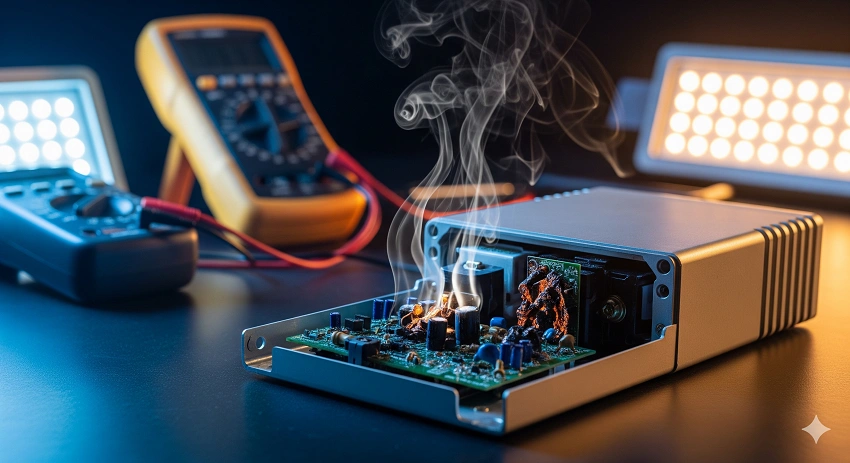
Finding a single burnt LED bead can be considered a random manufacturing defect. However, if you notice that several beads have burnt out, or if you frequently have to replace beads, this is a strong indicator of a deeper, systemic problem. In almost all cases, multiple burnt beads are caused by a failing driver. A faulty driver can begin to output excessive current or voltage spikes. This “overdrives” the LED beads, pushing them far beyond their safe operating limits. The excessive power causes them to overheat and burn out rapidly, leaving behind those characteristic black spots. In this scenario, simply replacing the burnt beads is a waste of time, as the new beads will likely suffer the same fate from the faulty driver. The correct and only effective solution is to first diagnose and replace the problematic driver. Once a new, stable, and correctly rated driver is installed, you can then assess the damage to the LED array. If only a few beads were affected, you can replace them. If the damage is extensive, it may be more efficient to replace the entire light engine or the whole fixture. This highlights the critical interdependence between the driver and the lamp beads: a healthy driver is essential for protecting the beads.
Why Does My LED Light Flicker or Glow After Being Turned Off?
One of the most perplexing and common issues with LED lighting is when the light continues to flicker, flash, or glow dimly even after the wall switch has been turned to the “off” position. This phenomenon is almost always an electrical issue, not a problem with the LED beads themselves. The most frequent cause is incorrect wiring, specifically a switch that controls the neutral wire instead of the live (hot) wire. When the switch is on the neutral line, turning the switch “off” breaks the neutral connection, but the live wire is still connected and energized all the way to the light fixture. This creates a “phantom voltage” or allows a small amount of current to leak through the stray capacitance of the wiring, which can be enough to charge the driver’s capacitors and cause the LEDs to flicker or glow faintly. The solution is to correct the wiring so that the switch interrupts the live (hot) wire. If you are not experienced with electrical work, this is a job for a qualified electrician, as working with live wiring is dangerous. If the wiring is correct (the switch is on the live wire), another common cause is the use of an incompatible dimmer switch. LEDs require special trailing-edge or universal dimmers designed for their low electronic loads. Using an old leading-edge dimmer meant for incandescent bulbs can cause a host of issues, including flickering, even when the dimmer is set to “full on” or “off.” Replacing the dimmer with a compatible LED dimmer usually solves the problem.
How Can Self-Inductance Cause an LED to Glow When Off?
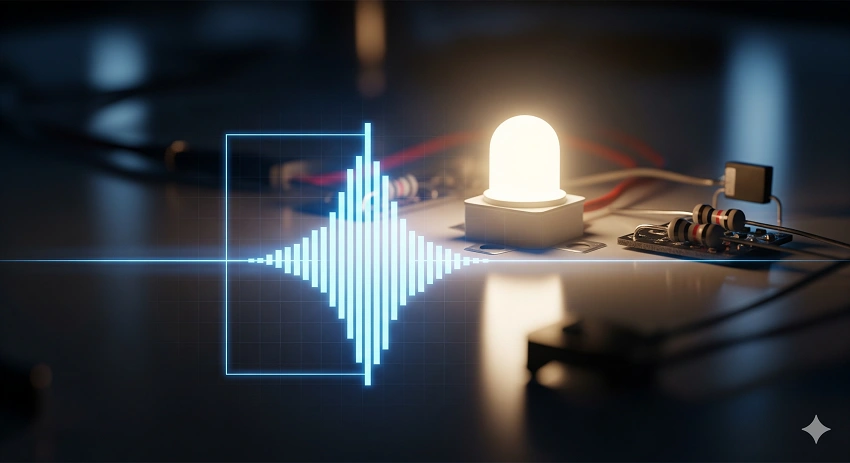
If the wiring is correct and you are not using a dimmer, a faint glow from an LED after being switched off can be caused by a phenomenon known as self-inductance or capacitive coupling. This can occur when the LED light is connected to a circuit that also powers other devices, or when long cable runs are involved. The wiring in your walls can act like a small capacitor or an inductor, and when the circuit is switched off, this stored energy can discharge in a small pulse, which is enough to briefly flash the highly sensitive LED. This is more common with LEDs because they require such a tiny amount of current to produce light, unlike incandescent bulbs which need a much larger surge to even warm their filaments. A simple and effective fix for this is to add a load to the circuit that will absorb this small stray current. One of the easiest methods is to install a 220V relay (or a small snubber capacitor or resistor, often sold as an “LED bypass” device) in parallel with the light fixture. You connect the coil of the relay in series or the bypass device across the live and neutral at the light. This component provides a path for the small induced currents to flow without passing through the LEDs, effectively suppressing the glow or flicker. This is a common and safe solution used by electricians to resolve ghosting issues in LED installations.
Summary Table: Troubleshooting Common LED Malfunctions
The following table provides a quick reference for diagnosing and solving the three most common LED light problems.
| Malfunction | Likely Cause | Diagnostic Step | Solution |
|---|---|---|---|
| Not Lighting Up | 1. No power to circuit. 2. Failed driver. | 1. Test socket with another bulb. 2. If power is present, driver is suspect. | 1. Reset breaker/fix wiring. 2. Replace the LED driver or entire bulb. |
| Light Is Dim | 1. Failing driver (low output). 2. Burnt-out lamp beads. | 1. Is dimming uniform? Check driver. 2. Are there dark patches/black spots? Check beads. | 1. Replace the driver. 2. Short-circuit or replace burnt beads. |
| Flickering / Glowing When Off | 1. Switch on neutral wire. 2. Incompatible dimmer. 3. Self-inductance. | 1. Check wiring at switch. 2. Check if a dimmer is installed. 3. If wiring/dimmer ok, likely inductance. | 1. Correct wiring (live to switch). 2. Replace with LED-compatible dimmer. 3. Install a bypass capacitor/relay. |
In conclusion, while LED lights are remarkably reliable, they are not immune to problems. By understanding the simple two-part structure of an LED—the driver and the lamp beads—and by methodically checking for common issues like circuit power, burnt beads, and correct wiring, most malfunctions can be quickly diagnosed. Many, like replacing a driver or shorting a dead bead, can be simple DIY fixes. Others, like correcting home wiring, may require a professional. Armed with this knowledge, you can tackle LED problems with confidence, saving money and extending the life of your lighting investment.
Frequently Asked Questions About LED Malfunctions
Is it safe to try and repair a flickering LED light myself?
Simple repairs like replacing a plug-in driver or soldering a bypass for a burnt bead are safe if you have basic electronics knowledge and the light is unplugged. However, any troubleshooting that involves opening a live circuit, checking wiring at the switch, or working inside a junction box carries a risk of electric shock. If you are unsure, always consult a qualified electrician.
Can a dimmer switch cause my LED to burn out faster?
Yes, if you are using an incompatible dimmer. Old dimmers designed for incandescent bulbs can send irregular power spikes to the LED driver, stressing its components and potentially leading to premature driver failure or burnt LED chips. Always use dimmers that are specifically labeled as “LED compatible” or “trailing-edge” dimmers.
Why do some of my LED bulbs flicker while others on the same circuit don’t?
This usually points to a problem with the specific bulb itself, such as a failing driver or a poor internal connection. It could also be that some bulbs are more sensitive to the small voltage fluctuations or inductance on that circuit than others. Try swapping the flickering bulb with a known good one from another socket to see if the problem follows the bulb or stays with the socket.